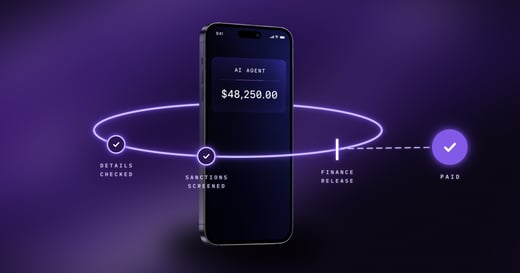
Your partner data already lives in Salesforce. Now the payment can start there too.
Paying channel partners, contractors and incentive recipients usually follows the same tired routine. Someone exports a report from Salesforce, someone else chases bank details over email, finance keys the payments into another system, and the person who earned the money waits weeks to see it. Every handoff is a chance for a typo, a missed payment or a "where's my SPIFF?" email.
Xtrm Payments for Salesforce removes most of those handoffs. Your team creates a payment record in Salesforce, Xtrm pays it, and the result comes back to the same record. This post explains how it works, what your recipients see, what finance stays in control of, and what you need before you install.
Key takeaways
- Payments start from a Salesforce record and their status, transaction ID and any failure reason are written back to it.
- You need only a name and an email address to pay someone. Recipients enter their own details and choose how they get paid.
- Money moves from your Xtrm wallet, which you fund in the Xtrm platform, not in Salesforce.
- Finance keeps its controls, including approval rules, permission sets and a log of every call Salesforce makes to Xtrm.
- Setup takes about 15 minutes once your Xtrm account and API access are in place.
What Xtrm Payments for Salesforce is
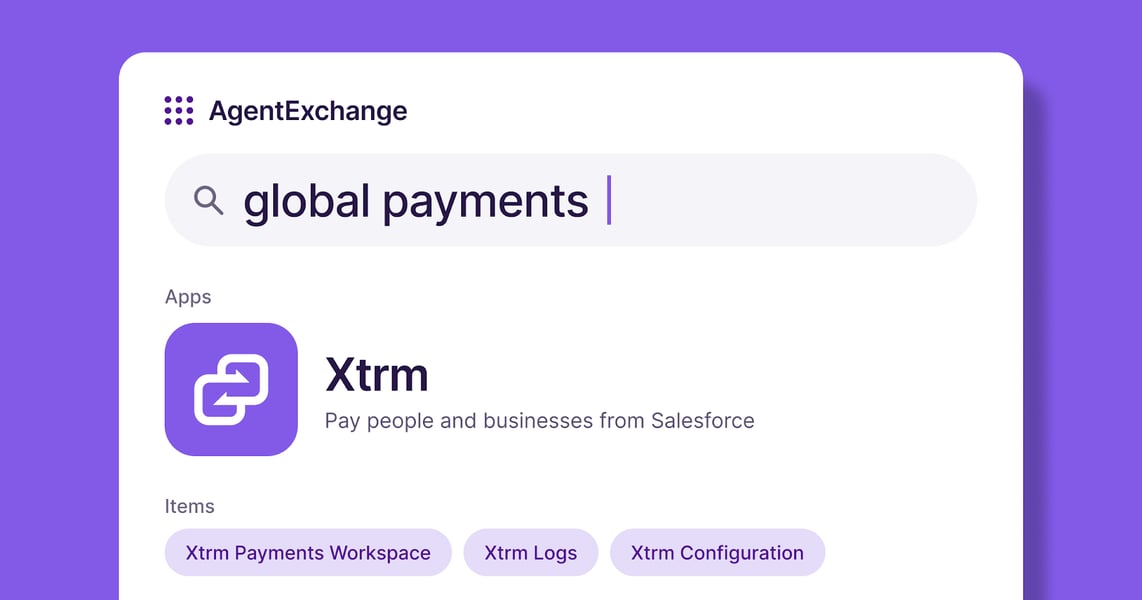
Xtrm Payments for Salesforce is a managed package, listed on AppExchange, that lets your team pay people and businesses from inside Salesforce. It works across two systems. Salesforce is where your team creates and tracks payments. The Xtrm platform is where your wallet and API credentials live and where the money actually moves.
That split matters for one practical reason: funding happens in Xtrm. You add money to your company wallet in the Xtrm platform, and every payment made from Salesforce is paid from that wallet. Xtrm is a fintech technology provider, not a bank.
How a payment flows from Salesforce to the recipient
- Create the payment. Use the Xtrm Payments Workspace, or the Create Xtrm Payment button on a Contact or Account record once your admin adds it to those pages.
- Send it to Xtrm. Your admin decides whether payments go to Xtrm as soon as they are created or on a schedule.
- Xtrm pays it. The payment comes out of your default source wallet. If the recipient doesn't have an Xtrm account yet, one is created for them, and later payments to the same person go to the same account.
- The recipient chooses how to receive it. More on that below.
- The result comes back. The payment record shows its status (Pending, Accepted, Processing, Completed, Failed, Rejected or Cancelled), along with the transaction ID and timestamp. A failed payment shows an error code and message, and you can retry it on its own or alongside others from the workspace.
Personal and company payments run on the same Xtrm Payment object, so you don't need separate setups for paying an individual rep and paying a partner business.
What your recipients see
This is the part partners notice. You start a payment with one name and one email address. The recipient gets an invitation, enters their own details, and picks how they want to be paid: bank transfer, prepaid card or digital gift card, in their local currency.
Because recipients keep their own information, your team never collects bank details by email or stores them in Salesforce. We cover why that matters in our guide to payee management. Xtrm also supports recipients after the payment arrives, so questions about a payout come to us rather than to your channel team.
What finance stays in control of
Moving payments closer to sales and channel teams only works if finance keeps the guardrails. The app is built around that.
- Approval rules. Finance sets them once in Xtrm: which transaction types need approval, an optional second approver, and amount thresholds on transfers. Our help center guide to approval policies covers the setup, and our post on the maker-checker process explains why a second approver matters.
- Who can do what. Two permission sets separate admins, who connect the app and manage settings, from the users who create payments.
- Screening before money moves. Xtrm runs identity and sanctions checks before a payment is released.
- A full record. The Xtrm Logs tab shows every call Salesforce makes to Xtrm, which helps when someone asks what happened to a payment.
- Tax information up front. Xtrm collects W-9 and W-8BEN(-E) equivalent information electronically and supports year-end tax documentation, so your team isn't chasing forms in January.
Xtrm is SOC 1 and SOC 2 Type II compliant.
Paying many people at once
Quarter-end programs rarely mean one payment. To pay a whole list, import a CSV file into the Xtrm Payment object with Salesforce's own Data Import Wizard. Combined with scheduled sending, that lets you load a full payout run, review it, and let it go out on your timing.
It fits the programs channel teams already run in Salesforce: SPIFFs, MDF, rebates, partner commissions and contractor payments.
What you need before you install
| Where | What you need |
|---|---|
| Xtrm platform | A company account with a funded wallet and the Salesforce integration on your plan |
| Xtrm platform | Your API credentials, and API access for Salesforce approved by Xtrm |
| Salesforce | A user with the System Administrator profile to install and set up the package |
| Salesforce | Lightning Experience |
Installation is done once, by an admin, and the same package works for every org. You can install it in a Salesforce sandbox first and connect it to an Xtrm sandbox account, which is the sensible way to test your setup before real money moves. Our help center guide to installing Xtrm Payments for Salesforce walks through each step.
FAQs about Xtrm Payments for Salesforce
Do I need an Xtrm account to use the app?
Yes. The app connects Salesforce to your company's Xtrm account, which holds the wallet that pays. If you don't have an account yet, or need the Salesforce integration added to your plan, a payout specialist can help.
Where do I add the money for payments?
In the Xtrm platform, not in Salesforce. You fund your company wallet in Xtrm, and every payment created in Salesforce is paid from the source wallet your admin selects.
Do recipients need an Xtrm account first?
No. If someone you pay doesn't have an Xtrm account, Xtrm creates one when you pay them. They enter their own details and choose how to receive the money, and later payments go to the same account.
Can I test it before paying real recipients?
Yes. You can install the package in a Salesforce sandbox and connect it to an Xtrm sandbox account, then make a test payment before going live.
Conclusion: Pay from where the work already happens
Your partner records, deal data and program results are already in Salesforce. Paying from the same place removes the exports, the emailed bank details and the manual re-keying that slow incentive programs down, while finance keeps its approvals and visibility. Recipients get paid their way, and everyone can see where a payment stands without leaving the record.
If you want to see how it would fit your org, we are glad to walk through it with you.
Last updated: November 1, 2026
Nov 3, 2026, 1:18:12 PM